
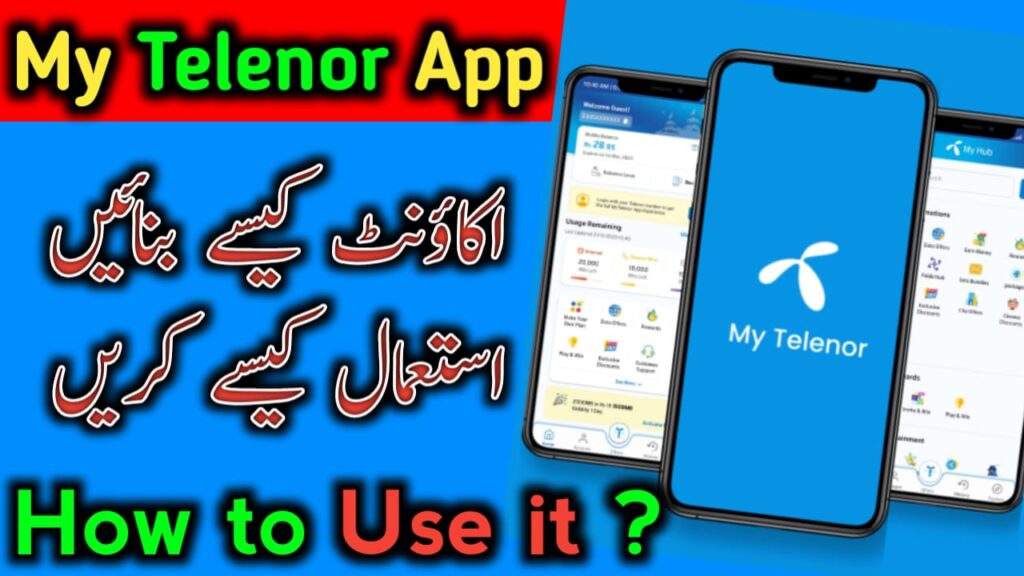
Helpful Interface
The Telenor App is specially designed for Telenor users and makes many daily tasks much easier. This App is officially introduced by the Telenor company and is very helpful for Telenor customers. Whether you want to check your balance, internet data ,remaining call minutes or SMS details, this app provides completes support and saves a lot of time.
Through this app, you can easily access all your SIM-related information without dialing any codes. Everything is available in one place, making it very convenient for users. Details of their SIM. You can use the app directly with your Telenor SIM. The app allows you to Recharge balance, share balance, check account history and activates packages. Many other Telenor Service are also available inside the app.
Design & Options
You can pay bills through the app and even take an emergency loan if needed. Multiple recharge Options are available, including bank accounts and credit cards. You do not need to visit other apps or websites to find offers, as all packages and deals are available within the app. You can also create custom packages, view city-specific offers and find many ready-made low-cost packages.
The app provides self-service options as well as support from the Telenor help team. You can play Games and in emergency situations, you may also find free data offers. If you are using a Telenor SIM and still not using this app, you should start using it now because it provides complete and easy access to all important information.
⭐ Key Features
Balance Check
You can check your Telenor balance without dialing any code. Your balance appears at the top of the app.
Package Activation
You do not need to visit any shop. Call, SMS and internet packages are available directly inside the app.
Free MBs & Play to Win
The app offers daily free MBs. There is also a Play to Win options where you can answer questions and eran free data as a reward.
Recharge History
You can view full recharge history, including past recharge amounts and dates.
SIM Information
Instead of calling helplines or dialing codes, you can view your SIM details directly in the app without any extra steps.
Complete Method to Download the My Telenor App
You do not need to search here and there to download the My Telenor App.
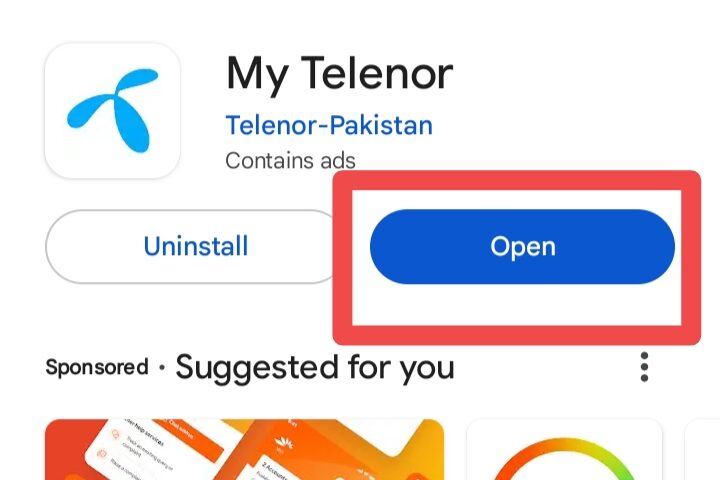
For Android users:
- Open the Google Play Store and type
- My Telenor App in the search bar.
- When the app appears, tap on it and click install.
For iPhone users:
- Open the App Store,
- Search for My Telenor App,
- tap on it and install the app.
How to create a My Telenor App Account (full Method)
Creating an account may seem difficult for new users, but once your account is created, you won’t Need to create it again. You can simply long in next time. If you have not created a My Telenor account yet:
1st:
Open the My Telenor App after installing it. Tap on start.
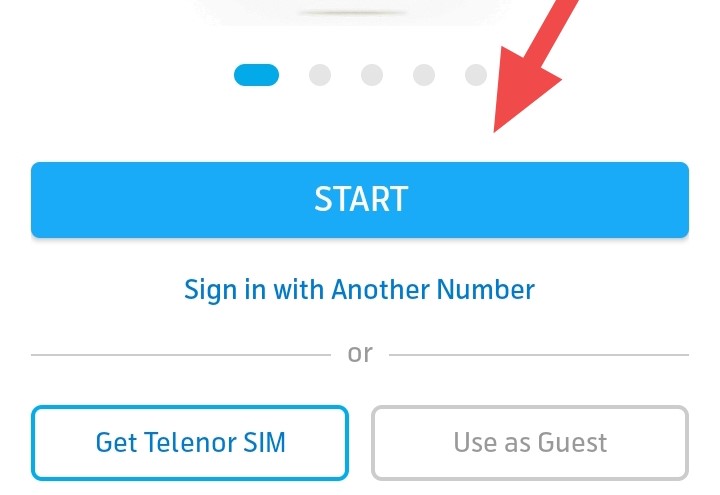
2nd:
Enter your own Telenor mobile number (do not use another network or someone else’s number). Click Next.
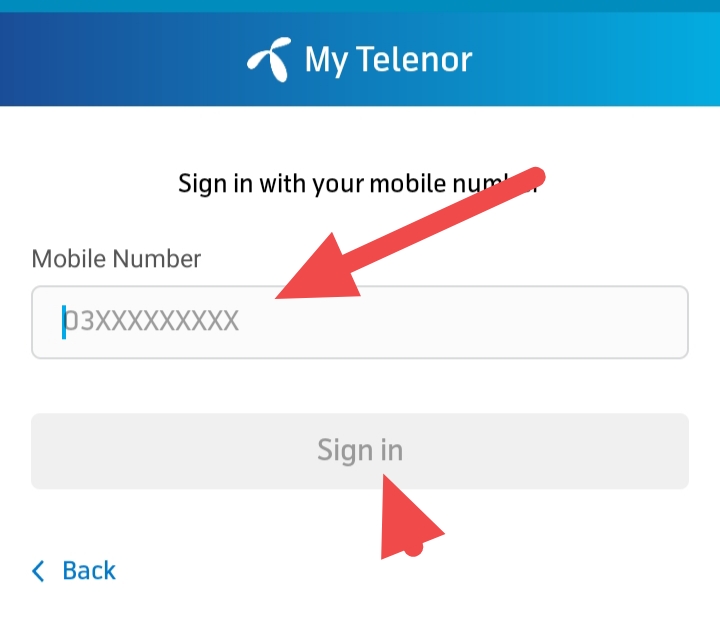
3rd:
You will receive a verification code via SMS. Copy the code from your messages and pate it into the App. If you do not receive the code, tap Resend. If the code still does not arrive, make sure the SIM is inserted in the same phone you are using. The Code will arrive on the phone that contains the SIM.
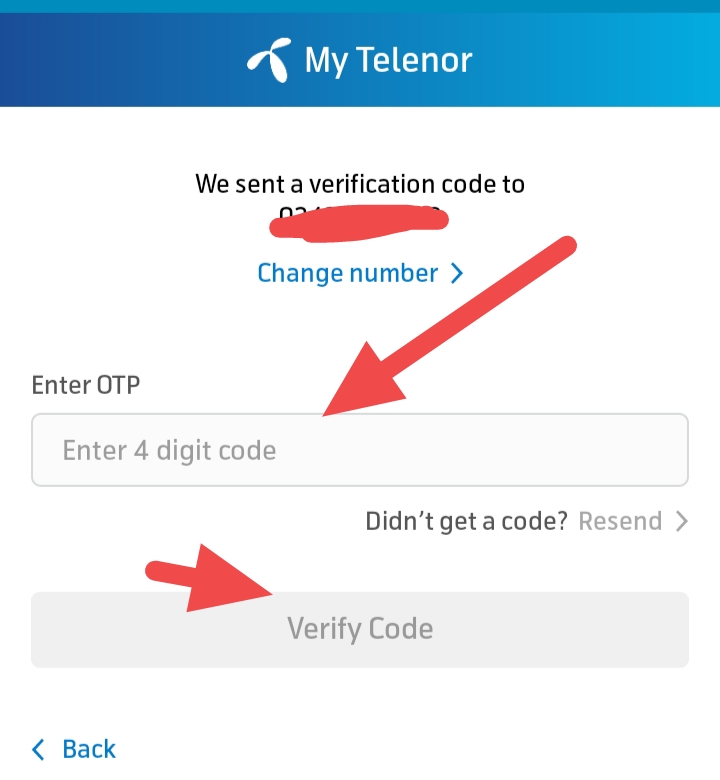
Once you enter the code, your account will be created successfully and you can fully use the My Telenor App.
How to Use My Telenor App Options
Home Page Overview
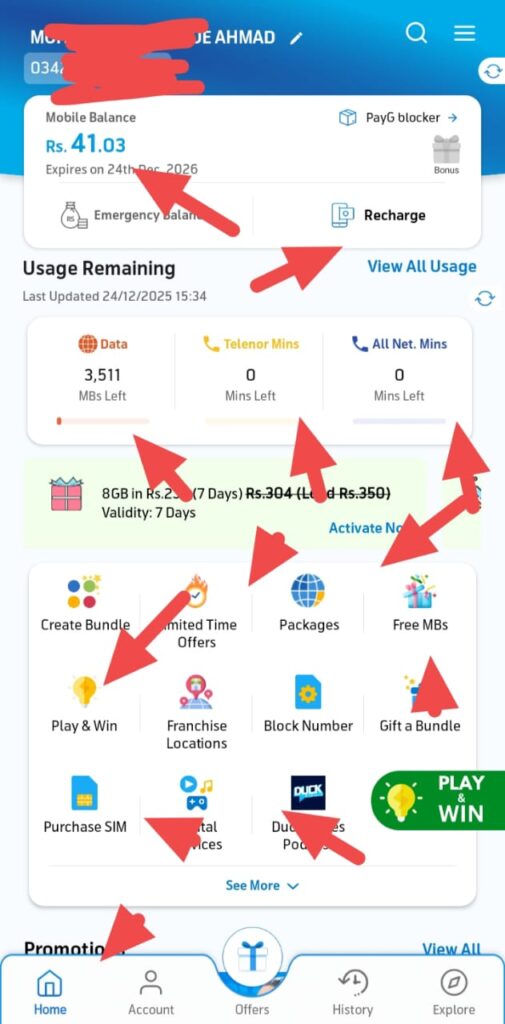
When you open the app your balance is shown on the home screen. To activate a package you can use options available on the home screen. Discounted offers are shown on the home screen. For more offers, tap offers next to the Account option.
Offers Tab Overview
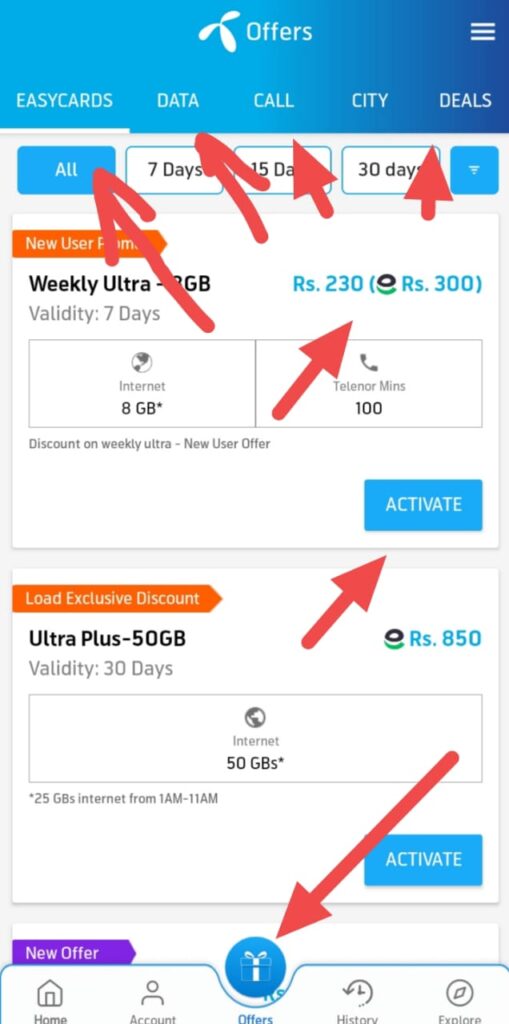
You will see different tabs such as Call offers, Data offers, Discount offers, Deal offers and SMS offers. Select any offer you like tap on it and view full details. If you have balance, tap Activate and confirm.
If you do not have balance you can pay using a bank account, credit card or Easypesa.
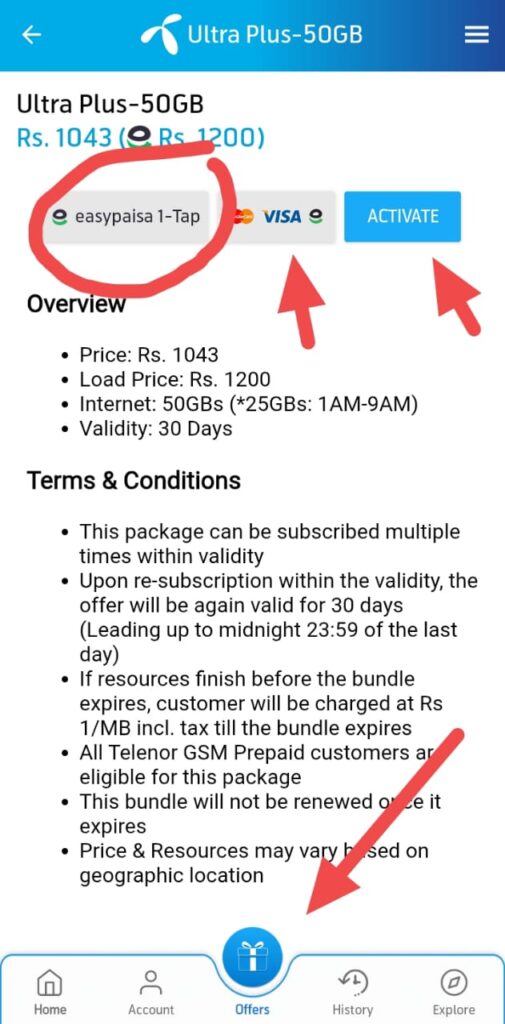
After verification the package will be activated online through the app.
Benefit of Using the My Telenor App
The My Telenor App saves a lot of time and is very easy to use. You do not need to dial codes or call helpline to check information. Everything is available instantly in the app.
It helps avoid wasting time and provides all Telenor offers in one place. You do not need to search for packages separately. All official offers are added automatically.
The app is officially provided by Telenor, making it safe to use without any risk of data theft. You can use it with confidence.
Common Problems and Their Solutions in My Telenor App
OTP Not Received
This is a common issue. Try the following steps:
- Make sure the entered number is correct.
- Check your message inbox.
- Tap Resend if needed.
Ensure the SIM is in the same phone you are using. Check app permissions and allow SMS access.
Turn off VPN
if it is enabled.
- Check if SMS blocking is enabled and disable it.
- Reinstall the app or clear app data.
- Restore your phone.
If none of these work call Telenor Helpline 345 and ask about the OTP issue.
My Telenor App Keeps Logging Out
This usually happen when, The phone does not fully support the app or Too many app are using data in the background.
Solution
1st,Go to mobile settings
2nd, Select apps
Turn off background data usage. Allow data usage only when the app is open.
Conclusion
Now you have complete information about what the My Telenor App is, how it works and how it can benefit students families and regular users. You have learned how to create an account, activate packages, check balance and access all SIM related information without dialing any codes or calling helplines.
This app saves time and provides all essential services in one place. If you have not used the My Telenor App yet, download it now and make your daily SIM management easier.
❓ Short Questions Answers
Q1: Is My Telenor App Free?
yes my telenor app is officially free from telenor company for telenor users. You easy download and use.
Q2: Can I use it without internet?
No this app not work without any internet , if you interested in using app before you must on your internet connection and connect.
Q3: Is it safe to use?
this app is officially lounch from telenor you must use without any risk. you all data is safe in app.
Pingback: Jazz, Zong, and Ufone Call Offers 2025 Daily, Weekly & Monthly Packages -
Pingback: Top 10 Cheapest Internet Packages for Students in Pakistan -
Pingback: Top 5 Low Cost Family Call Packages in Pakistan (Jazz,Zong,Telenor,Ufone) -
Pingback: Telenor Affordable Internet Packages Complete Guide for Budget Users -